Origin 2016 Features
Origin 2016 Highlights
The table below only lists some highlights of Origin 2016. To see more features in 2016, please use the navigation bar on the left panel of this page.
Origin Interface
JIRA | SUMMARY | DETAILS |
|---|---|---|
Enable/Disable Collapsible Menus from Tools:Options | User can disable/enable collapsible menus by check box in Miscellaneous tab of Tools:Options. | |
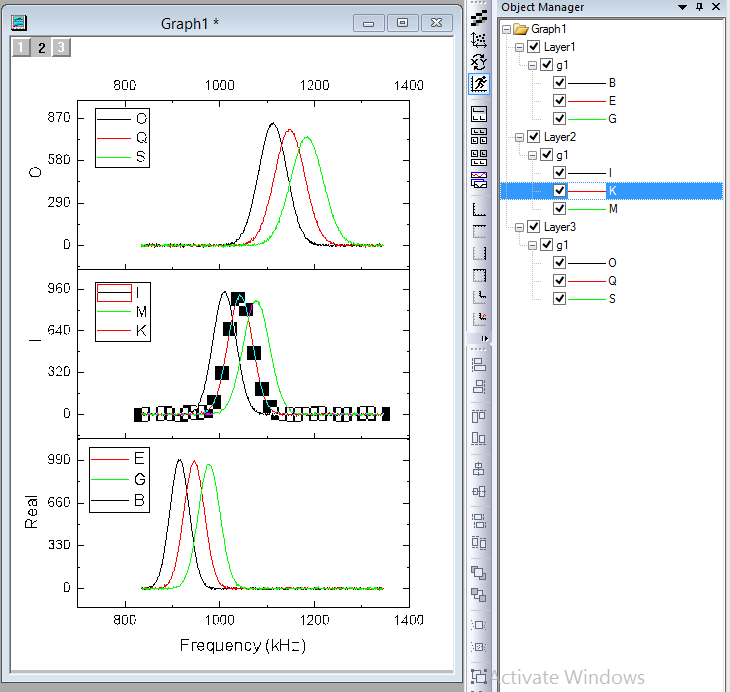
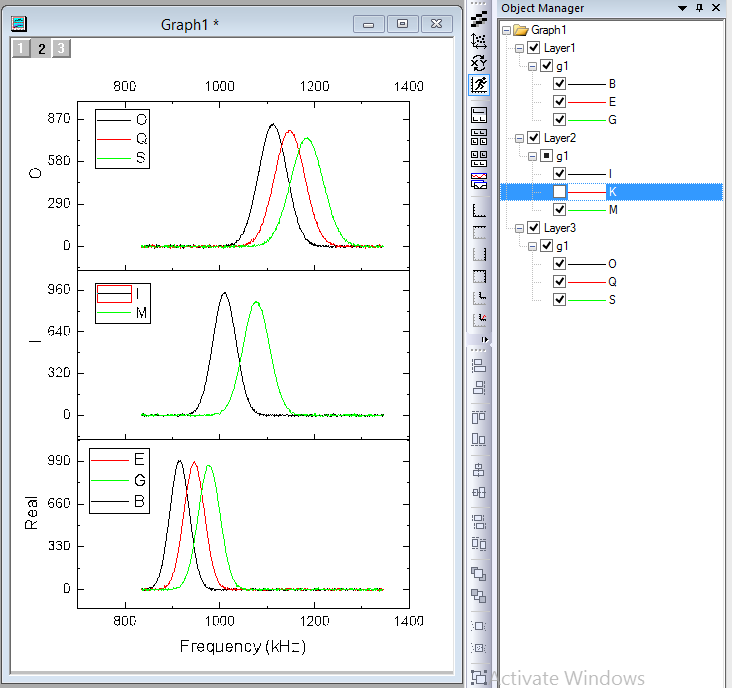
| Dockable Object Manager to easily Show or Hide Plots on a Graph | Hide and show plots using Object Manager
Useful context menu tools inside Object Manager
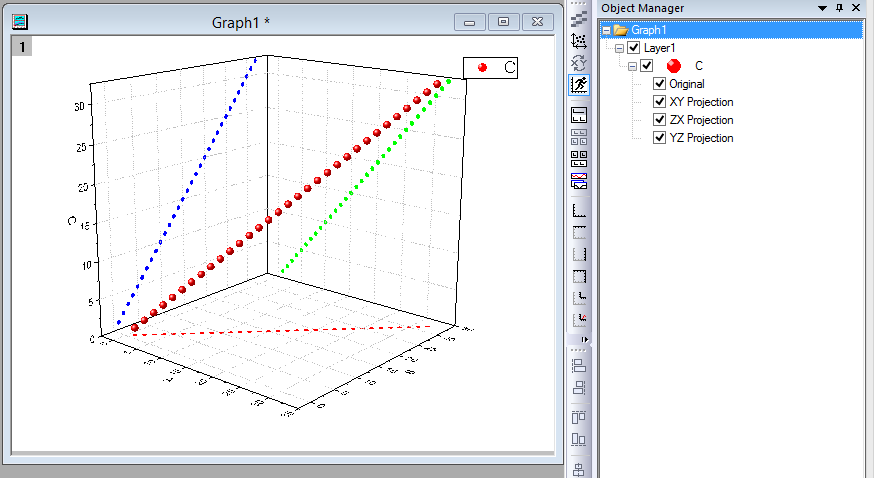
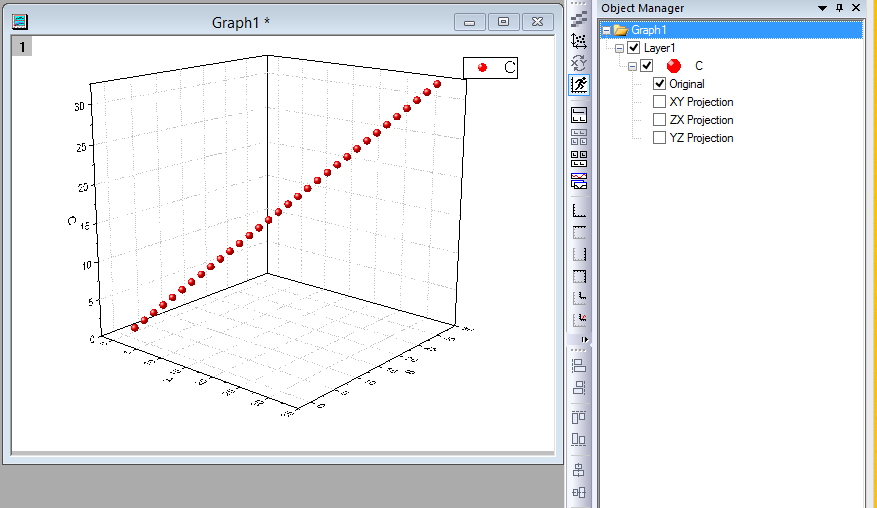
For 3D Scatter plots, XY Projection, ZX Projection, YZ Projection items are included in object manager as well.
|
GUI to Rename Plots with Loose Data (2D function plot & virtual matrix) | Set the short name of the 2D function plot Under the label tab of the Create 2D Function Plot dialog, we can set the Function short name.
Short name or long name of the loose data can be changed in plot detail dialog Open the plot detail dialog of a 2D function plot or virtual matrix plot, we can change the short name or long name of the plot. Clicking the small button besides the name will toggle between long name and short name. | |
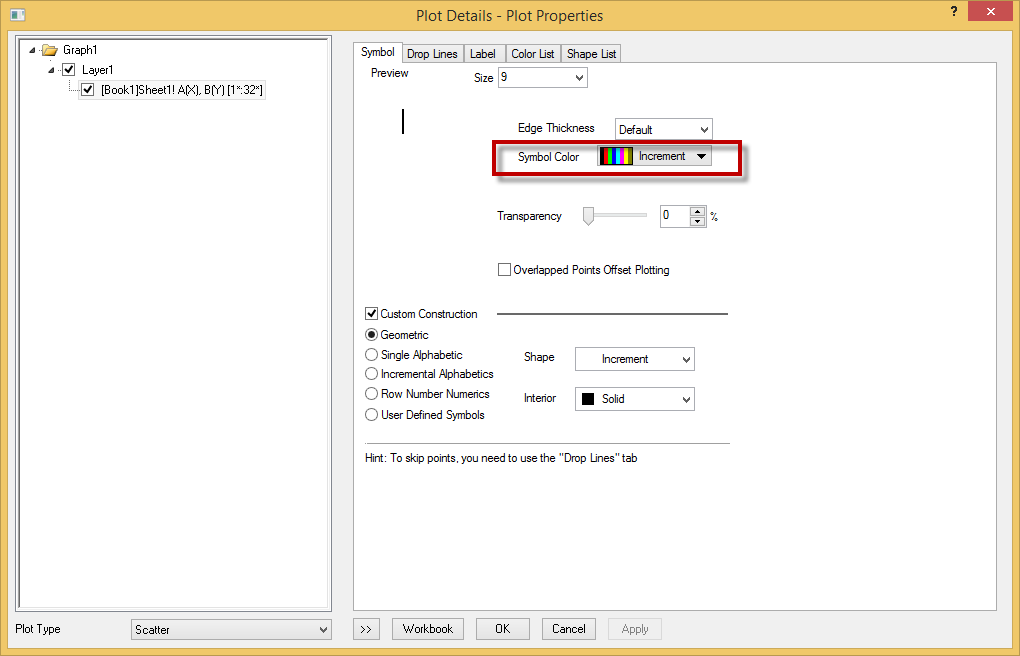
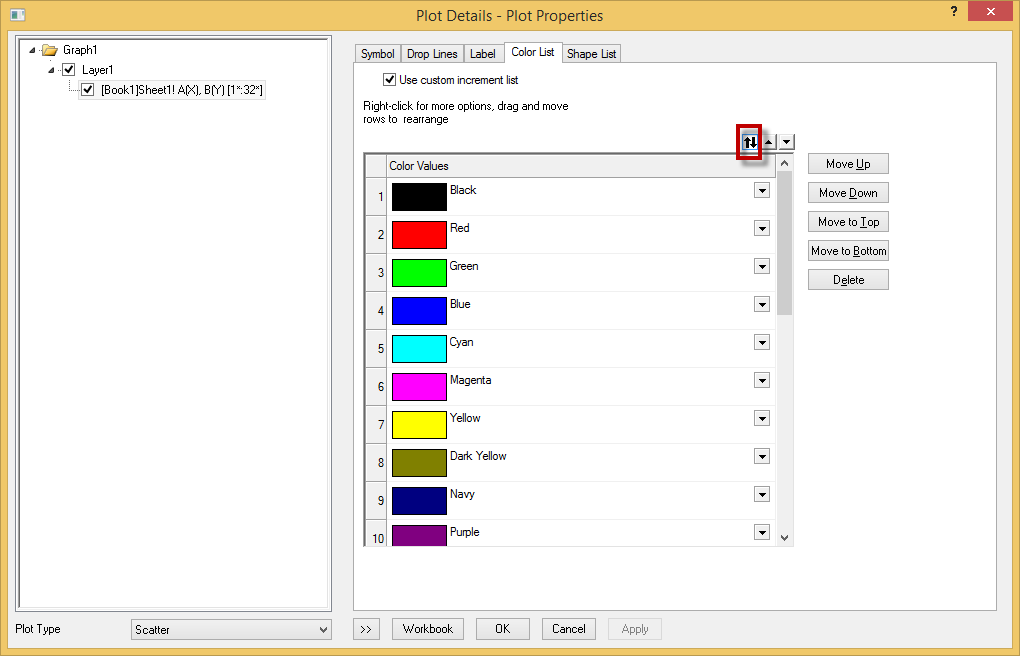
Support flip color increment list | Allow the order of colors in the color list or the order of shapes in the shape list be flipped. When the Symbol Color is set to increment, can flip the order in the Color List tab. This also applies to the symbol shape.
| |
Use tab style dialog for more analysis and statistics tools | Changed the dialog to be tab-based for the analysis/statistics tools with long trees, especially those statistics tools. User can change back to old GUI by setting system variable @TSD to 0. (Choose Tools: System Variables... menu. Enter TSD as Variable and enter 0 as Value.) | |
ORG-11356 | Better extra large icon images for folder, workbook, matrix, notes, excel book in Project Explorer (SR1) | |
ORG-13960 | Flyout buttons on Toolbars more obvious (SR1) | Before SR1 – Tiny, not obvious In SR1 – More standard, easier to click on to expand |
ORG-13777 | Change Color List on By Points tab of Chooser Chooser (SR1) | Before SR1, user must change color list on Color List tab of Plot Details if the plot color is set to incrementing or using other column values. In SR1, user can directly change Color List on By Points tab of Color Chooser. |
ORG-13917 | Ctrl+ click Color List or Increment List in Color Chooser to edit color orders. (SR1) | In SR1, user can click Ctrl+click Color List on By Points tab or Increment List on By Plots tab of Color Chooser to change the order of colors and save as future color increment list. |
ORG-14036 | Template Library Filter status better not kept between Origin sessions (SR1) | Before SR1, if user pressed Filter down to exclude cloneable templates that don't match the active workbook, when restarting Origin, the filter button is still pressed and no template may show in Template Library since default Origin workbook only has two columns A(X) and B(Y). In SR1, a system variable @TLF is added in SR1 to allow this filter state to be |
ORG-13757 S1 | Add Allow System Theme to override checkbox in Template Modify dialog (SR1) | When plotting graph with a user-defined graph template, system theme will be applied if this Allow System Theme to Override checkbox is checked when saving graph template User can click edit button in Template Library to uncheck it now in SR1. |
ORG-13614 | Support Shapefile map in Object Manager (SR1) | After import Shapefile maps into Graph, the shapemap would be showed as a branch in Object Manager, each part could be a sub-object in this branch. So once the selection is turned on(right-click an object and select Selectable to turn on or turn off), users can select and modify the map, the selection of whole and partial could be similar to group and plot. 
|
ORG-14269 | Startup Tips Dialog Improvements (SR2) | We improved Startup Tips dialog.
|
ORG-14353 | Color palette is more friendly to people with color-blindness (SR2) | Add two built-in color lists for color-blindness people: Q09 ColorBlindSafe8 and Q10 ColorBlindSafe15 |