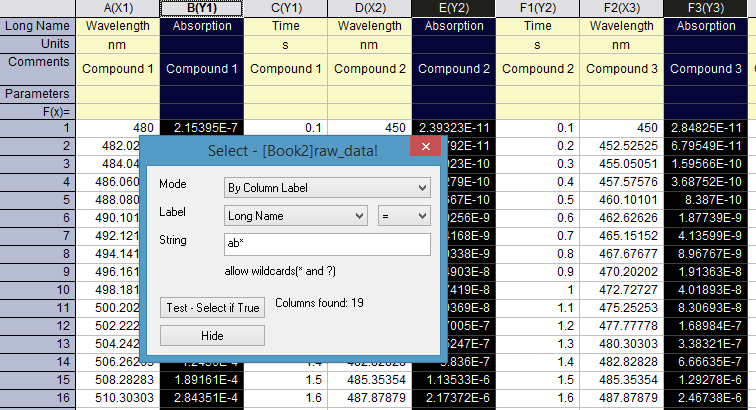
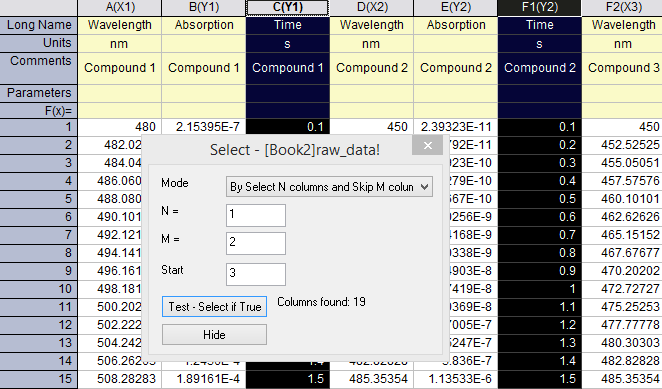
Edit: Select... menu to Select or Hide Columns by Column Label Rows or Skipping
- Yiming Chen
- Wall-E
- Elle Lin (Unlicensed)
- Snow Li
Owned by Yiming Chen
Choose Edit: Select... menu will open Select dialog where user can easily select and hide columns which fit the column label string, or by select N columns and skip M columns.
Since it's a modeless dialog, you can keep this dialog open and keep on doing selection and plotting or analysis.
Note: if the column label row has numbers, you can even set the >, <, etc. as conditions to select such columns.
| Select or Hide Columns by Column Label Rows | Select or Hide Columns by Skipping |
|---|---|
|
|