Origin 2017 Importing and Exporting
Import
JIRA | Summary | Details |
|---|---|---|
ORG-12978 | New Excel Import dialog without using COM support | Excel Import has been redone and no longer relies on the COM for import of *.xls and .xlsx/.xlsm files. In practical terms, this means that you no longer have to have MS Excel installed to import your Excel files into Origin. It only supports "Excel 97-2003" and "Excel 2007 and later" |
ORG-14358 | Support Sparklines for CSV import | For CSV import, Sparkline is turned on by default.  |
ORG-14729 | Open a specified folder in an existing project | Support LabTalk command to open a specified folder of an existing project. Please visit the page below for details. |
ORG-14502 | Import more metadata when import JCAMP file | impJCAMP is improved to keep more metadata from the imported book. |
ORG-12950 | Avoid DDE message if linked Excel is open inside opj | Skip Excel DDE dialog if the linked Excel is open inside opj as well as the opj contains no Excel book that is not relative. |
ORG-14608 | Better third party file meta data import support | Better treenode name for file info. |
ORG-14505 | Short name will not be modified from import tools | Proper handle metadata so that column short name will not be affected when "Excel-like column short name restriction" is ON. |
ORG-14611 | Prompt Workbook Organizer for checking Meta Data | A smart hint will be shown. |
ORG-15565 | Improve precision of importing tdms file | More accurate on converting system time to julian date. |
Export
JIRA | Summary | Details |
|---|---|---|
ORG-14682 | Export graphs in subfolders of project to corresponding subfolders under project File folder in Windows Explorer
Suppose i have test.opj with graphs in Folder1, Folder2 and Folder3 subfolders. I can directly export all graphs in project to corresponding subfolders under test\ folder in Windows Explorer. | Suppose user has graphs organized in multiple subfolders in a project. When export graph, choose Path to <Project Folder>\<PE path>. Exported graphs will be put to corresponding subfolders in OPJ file folder. |
ORG-14664 | Hide Adobe Illustrator graph export | Adobe Illustrator (*.ai) is hided by default as an exporting image type option. If users want to edit graphs in Adobe, Enhanced MetaFile (*.emf) export is recommended. Or set system variable @HAI = 0 to show Adobe Illustrator option. By default @HAI = 1. |
ORG-14505 | Short name will not be modifed from import tools | Proper handle metadata so that column short name will not be affected when "Excel-like column short name restriciton" is ON. |
JIRA | Summary | Details |
|---|---|---|
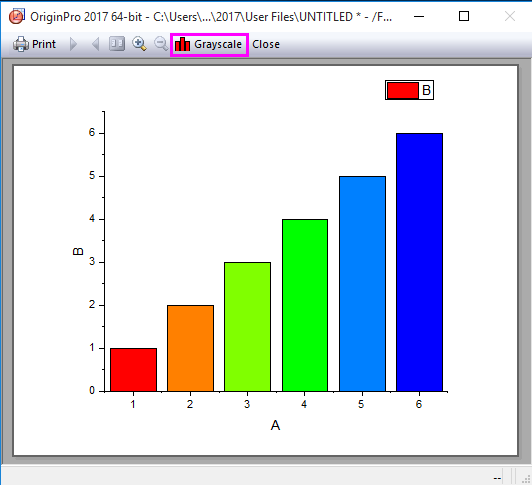
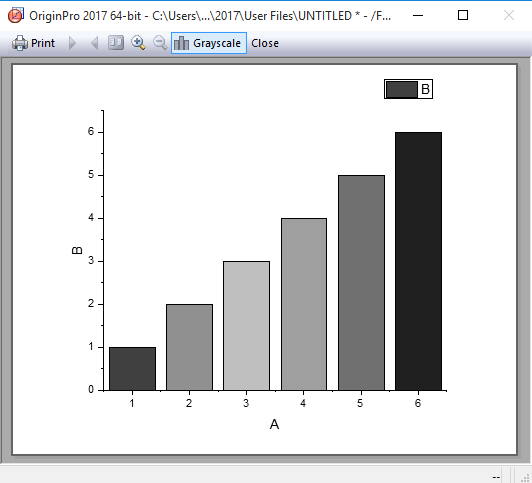
ORG-14774 | Add Grayscale button in Print Preview | Add Grayscale button in Print Preview to help users to check the B&W effect of graphs quickly.
|
Collaboration and Connectivity
JIRA | Summary | Details |
|---|---|---|
ORG-2968 | Support communicate with individual instance of Mathematica | Update sequencer.exe to 64-bit so that users are able to work between Origin and Mathematica (v7,v9,v10). |