Link Contour Line Color to Colormap
(ORG-4967)

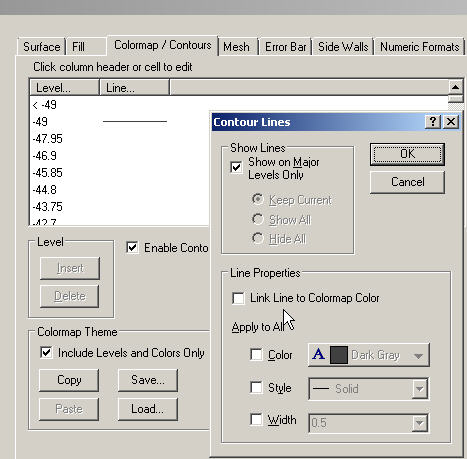
How to:
Go to Plot Details: Plot Properties: Colormap/Contours tab, click Line... column header to open Counter Lines dialog.
Check Link Line to Colormap Color checkbox.
In this example graph, Fill color and Mesh lines are disabled to show counter lines clearly.
To turn off Fill Color:
Go to Plot Details: Plot Properties: Fill tab, uncheck Enable checkbox.To turn off Mesh Line:
Go to Plot Details: Plot Properties: Mesh tab, uncheck Enable checkbox.
Comments

Anonymous
May 17, 2014
great!